Portage
Chrome extension · Side panel wallet

Trade and bridge without leaving the tab.

Portage is a self-custody crypto wallet that opens in Chrome's side panel, next to whatever you're reading. Swap on Solana and ten EVM chains, set limit orders, and bridge to more than 70 networks, all from one recovery phrase that stays encrypted on your device.

  • Free, with no Portage fee
  • No analytics or tracking
  • Beta, not yet audited
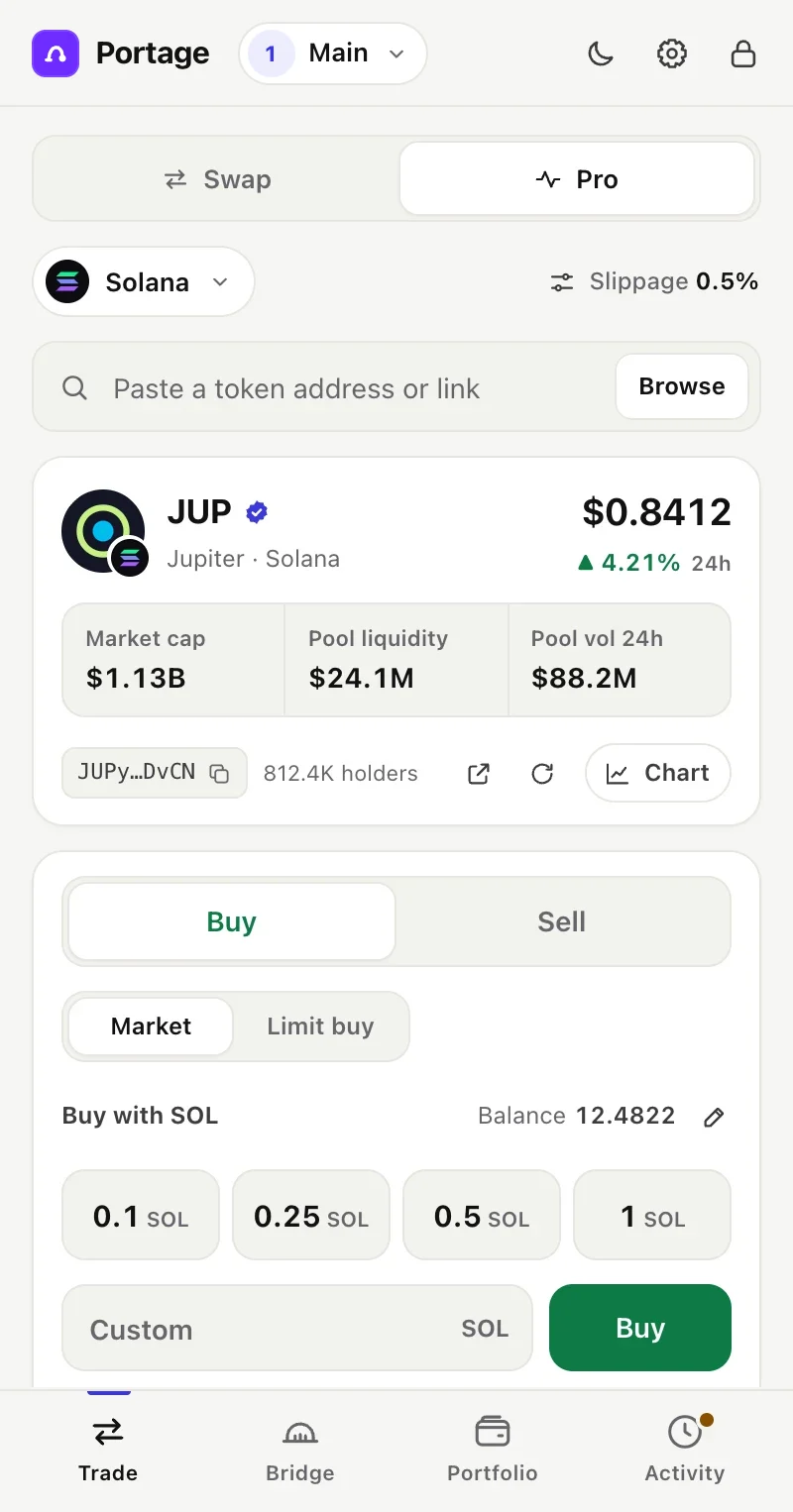
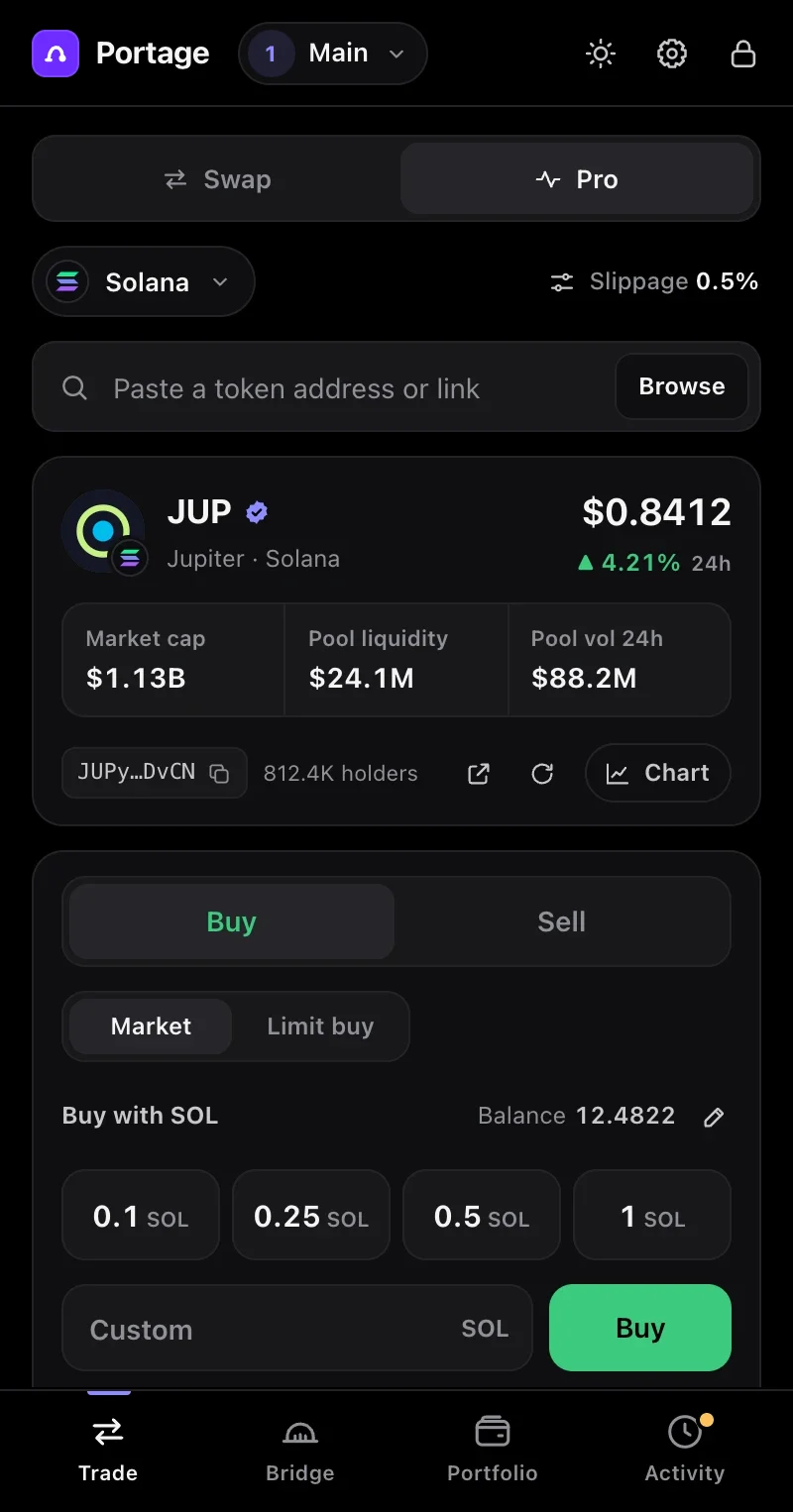
Portage open in Chrome's side panel in Pro mode: the JUP token on Solana with its price, market cap, pool liquidity and 24-hour volume, above one-tap buy amounts of 0.1, 0.25, 0.5 and 1 SOL. Portage open in Chrome's side panel in Pro mode: the JUP token on Solana with its price, market cap, pool liquidity and 24-hour volume, above one-tap buy amounts of 0.1, 0.25, 0.5 and 1 SOL.
Pro mode on Solana. Screens show demo data.
  • Solana + 10 EVMchains to swap on, from one recovery phrase
  • 70+ networksto bridge to, including Bitcoin
  • No Portage feeprovider fees are shown before you sign
  • On your devicekeys encrypted with AES-256-GCM, never sent anywhere
What it does

Everything happens in the panel.

Open Portage on any page, do what you came to do, and get back to it. The screens below use demo balances and prices.

Trade

Swap on Solana and ten EVM chains.

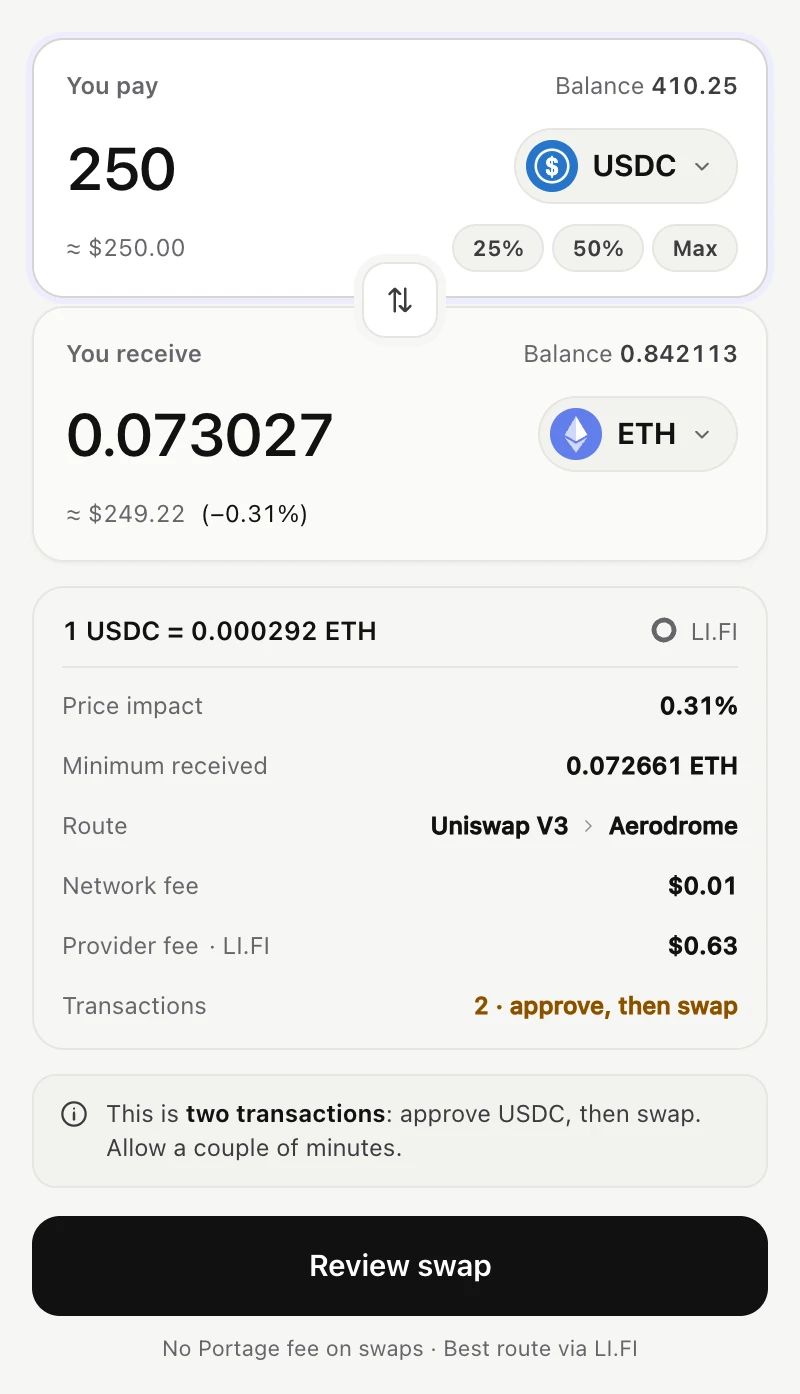
Same-chain swaps on Solana are routed by Jupiter; on EVM chains, by LI.FI. Before you confirm, Portage shows the rate, price impact, minimum received, the route and every fee.

Chains you can swap on

  • Solana
  • Ethereum
  • Base
  • Arbitrum
  • Optimism
  • BNB Chain
  • Polygon
  • Avalanche
  • Linea
  • Mantle
  • Robinhood Chain
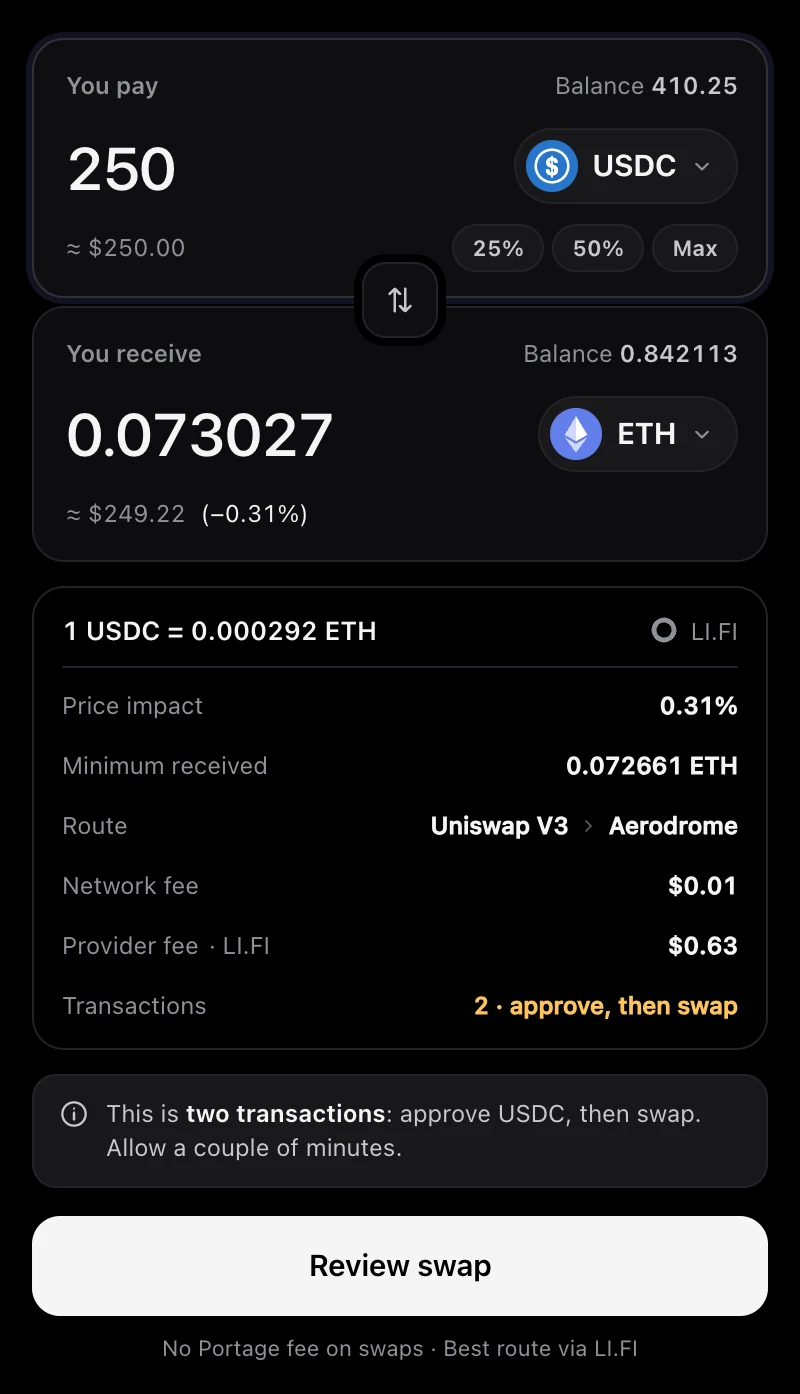
Swap screen on Base: paying 250 USDC to receive about 0.073 ETH, with the rate, price impact, minimum received, route, network fee and LI.FI's provider fee listed above a Review swap button and the line “No Portage fee on swaps”. Swap screen on Base: paying 250 USDC to receive about 0.073 ETH, with the rate, price impact, minimum received, route, network fee and LI.FI's provider fee listed above a Review swap button and the line “No Portage fee on swaps”.
A USDC to ETH swap on Base, routed by LI.FI.
Pro mode

Paste a token. Trade in a tap.

Paste any token address or link and Portage pulls up its live price, market cap, pool liquidity and 24-hour volume, with a live DexScreener chart one tap away.

  • One-tap buy amounts that you can set yourself
  • Sell 25, 50, 75 or 100% of a position
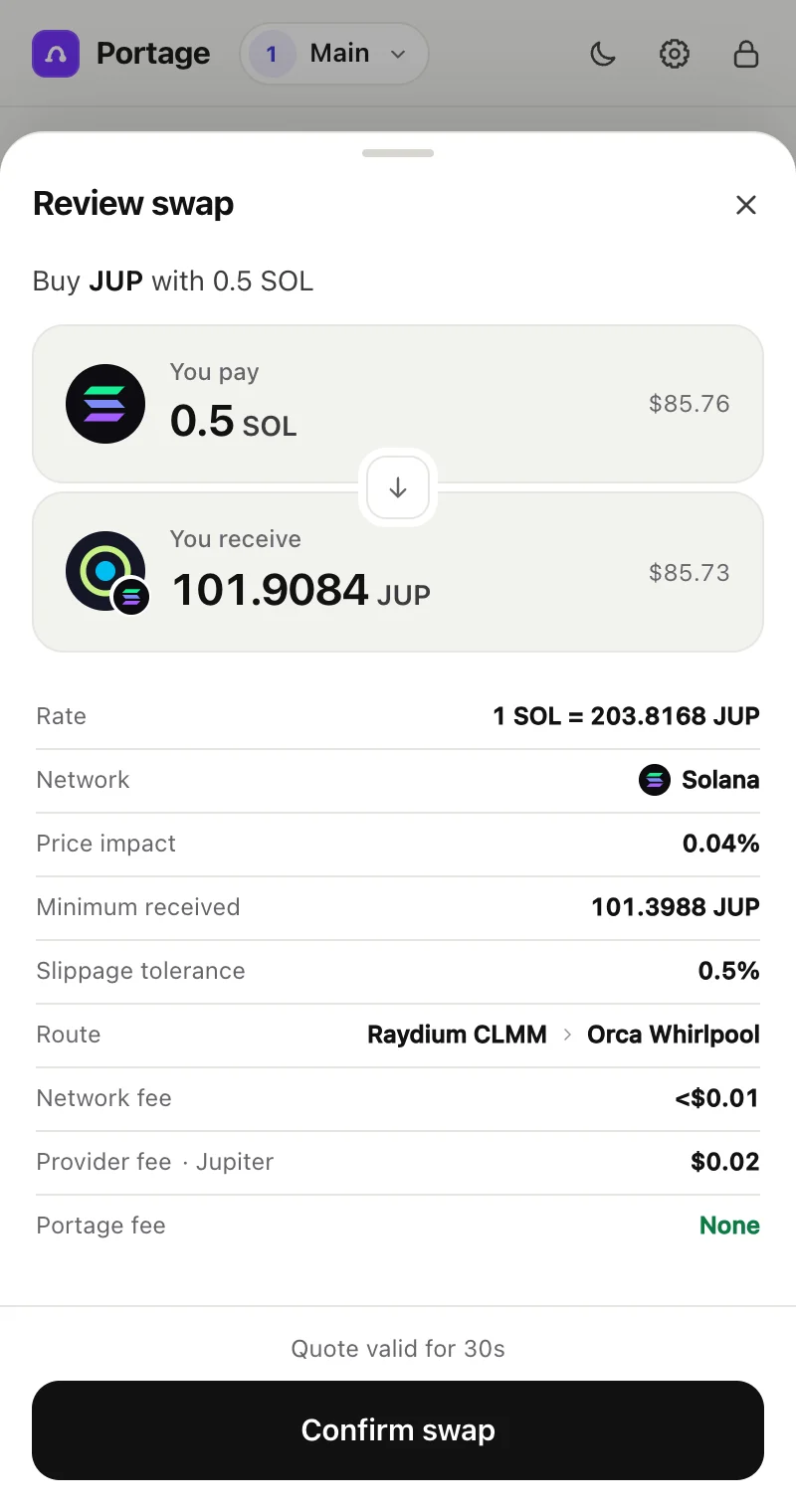
  • Every trade opens a review first. Nothing is signed until you confirm.
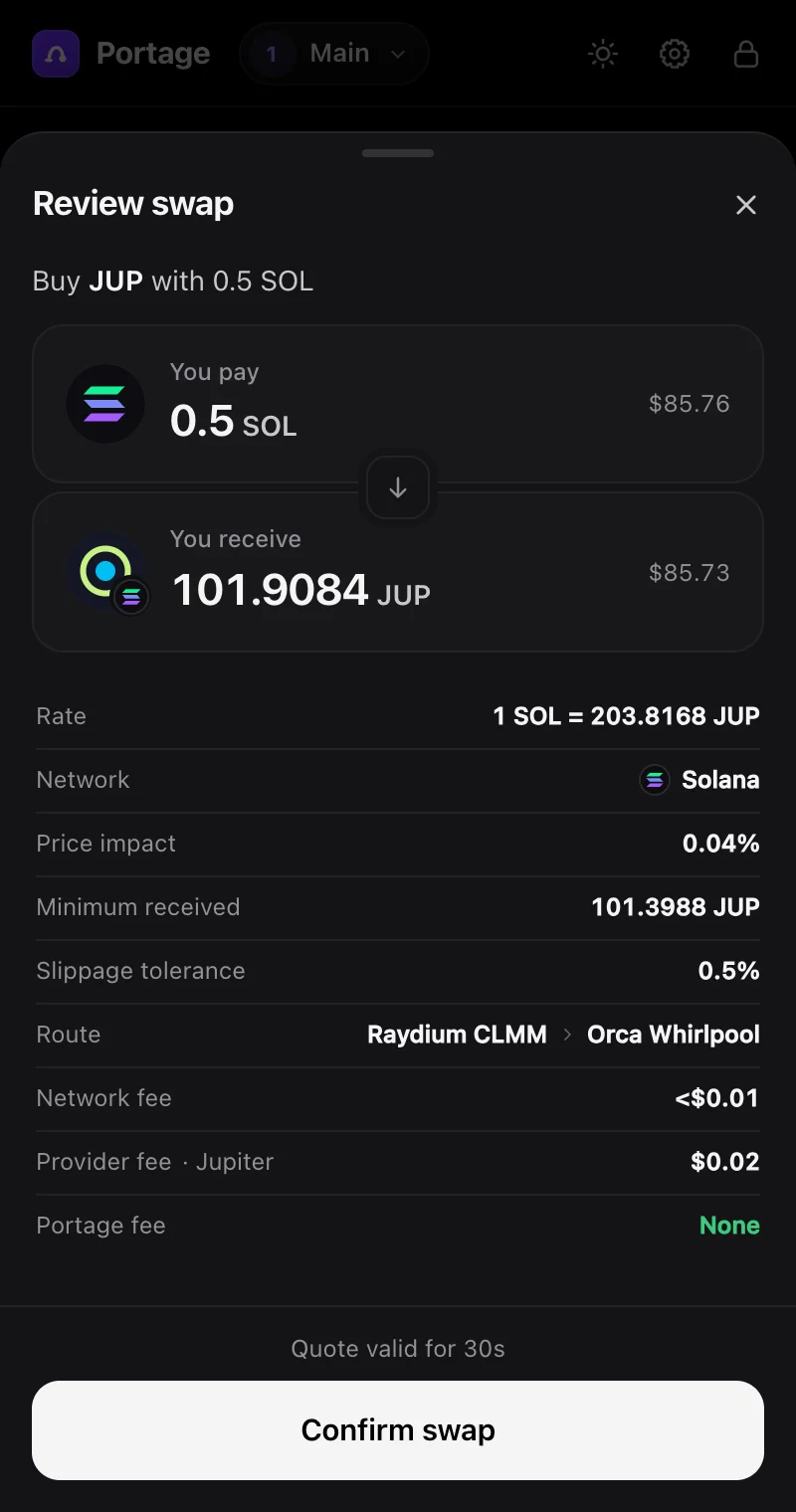
Review swap sheet: buying JUP with 0.5 SOL, listing the rate, network, price impact, minimum received, slippage, route, network fee, Jupiter's provider fee and a Portage fee of None, above a Confirm swap button. Review swap sheet: buying JUP with 0.5 SOL, listing the rate, network, price impact, minimum received, slippage, route, network fee, Jupiter's provider fee and a Portage fee of None, above a Confirm swap button.
The review step: every fee, before you sign.
Orders

Limit, take-profit and stop-loss orders.

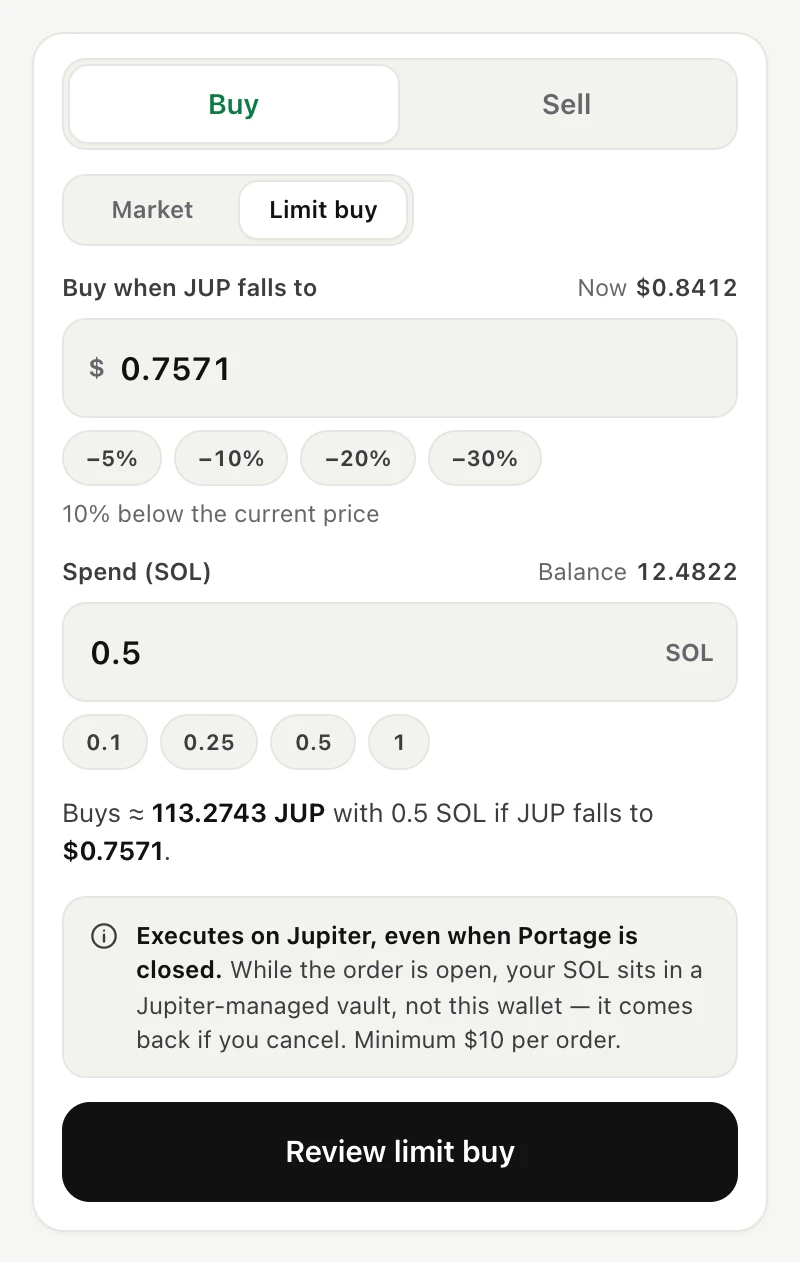
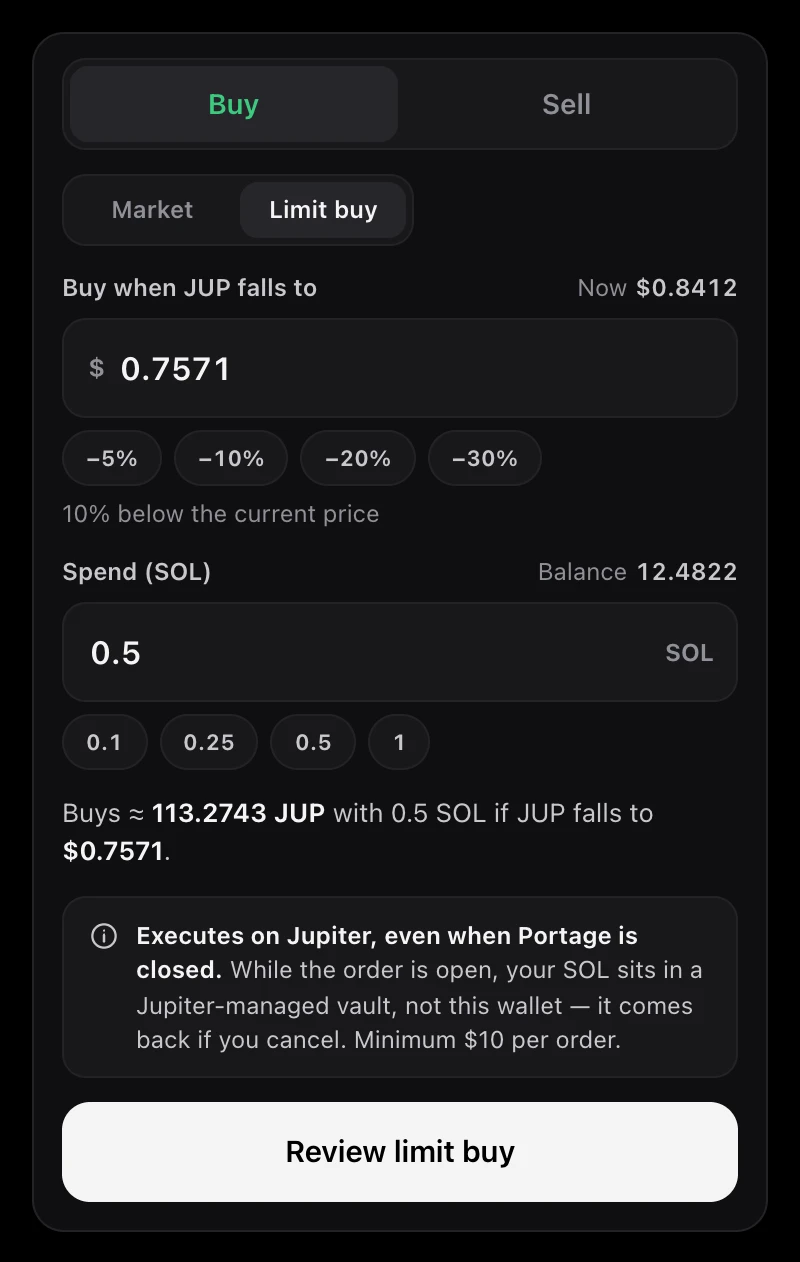
On Solana, set a price and walk away. Orders are executed by Jupiter, so they can fill while your browser is closed.

While an order is open, its funds sit in a Jupiter-managed vault rather than in your wallet. Cancel the order and they come back.

Limit buy for JUP: buy when the price falls to $0.7571, spending 0.5 SOL, with a note that the order executes on Jupiter even when Portage is closed and that the SOL sits in a Jupiter-managed vault while the order is open. Limit buy for JUP: buy when the price falls to $0.7571, spending 0.5 SOL, with a note that the order executes on Jupiter even when Portage is closed and that the SOL sits in a Jupiter-managed vault while the order is open.
A limit buy that fills if JUP falls 10%.
Bridge

Bridge to more than 70 networks.

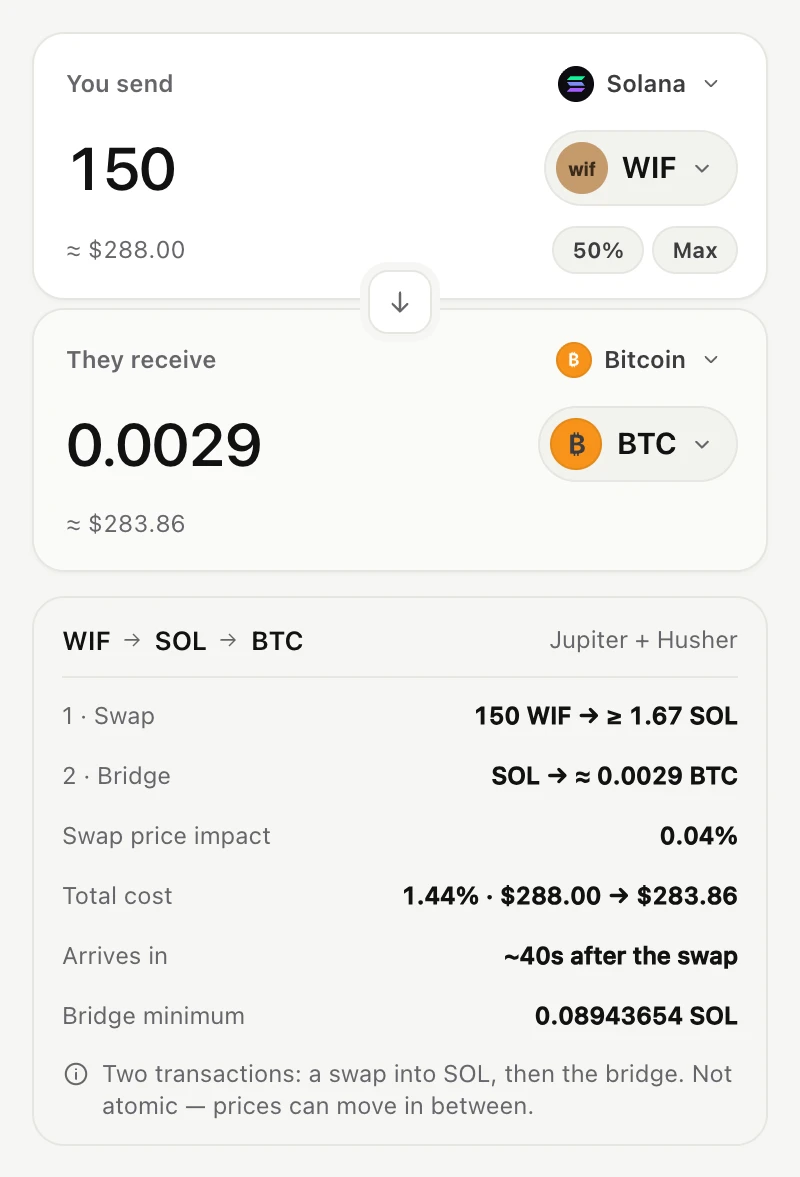
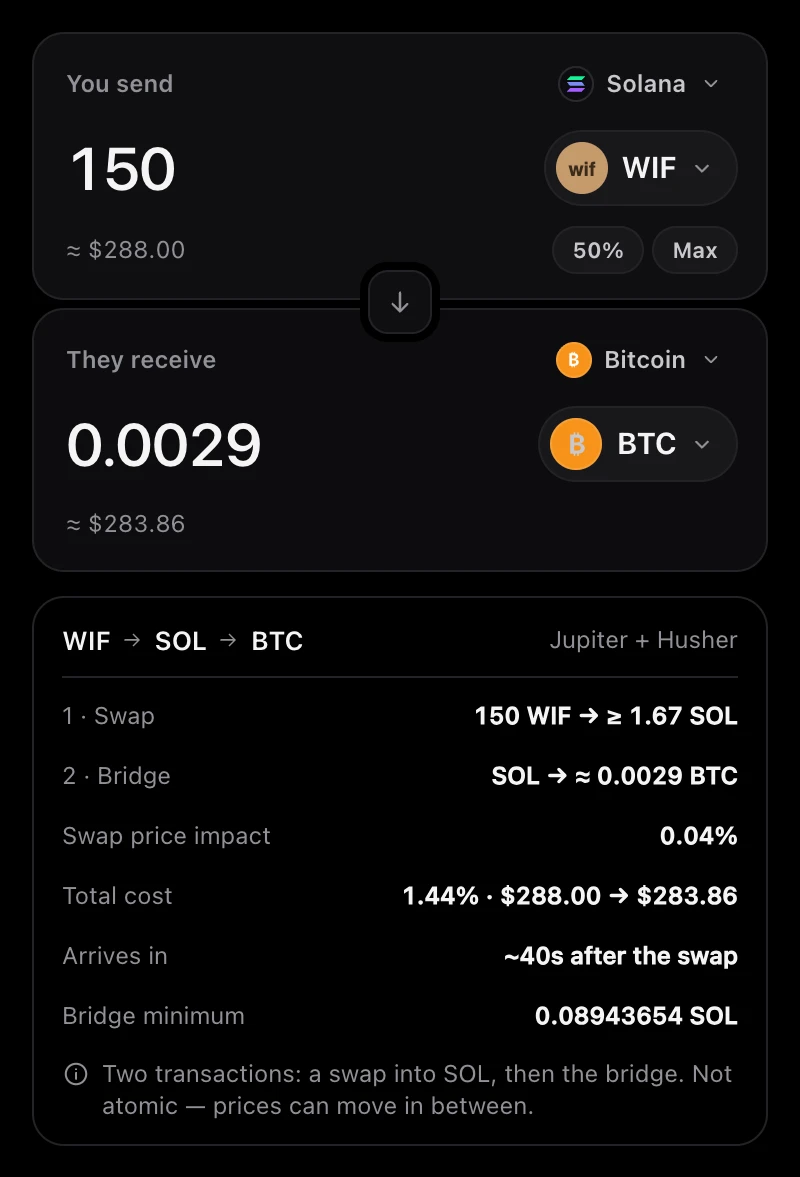
Bridging runs through Husher, an exchange. You deposit on one chain and Husher pays out natively on the other: no wrapped tokens, nothing to redeem later. You can even receive on networks Portage doesn't hold keys for, like Bitcoin. All you need there is an address.

  • Token not listed by Husher? Portage swaps it first, then bridges: two transactions, shown as two steps.
  • Progress is tracked in Activity until the payout lands.

While a bridge is in flight, Husher holds your deposit until it pays out. If the rate moves outside the quoted range first, Husher refunds to your wallet.

Bridge screen: sending 150 WIF on Solana to receive about 0.0029 BTC on Bitcoin, routed WIF to SOL to BTC through Jupiter and Husher, with a note that it is two transactions and not atomic. Bridge screen: sending 150 WIF on Solana to receive about 0.0029 BTC on Bitcoin, routed WIF to SOL to BTC through Jupiter and Husher, with a note that it is two transactions and not atomic.
WIF to Bitcoin: a Jupiter swap into SOL, then a Husher bridge.
Portfolio

Everything you hold, in one place.

Balances across Solana and ten EVM chains, positions with profit and loss for what you've traded in Portage, and a history of every swap, bridge and order.

P&L uses the average cost of trades made in Portage. On EVM chains, Portage lists major tokens and anything you've traded in it, so some other tokens you hold may not appear.

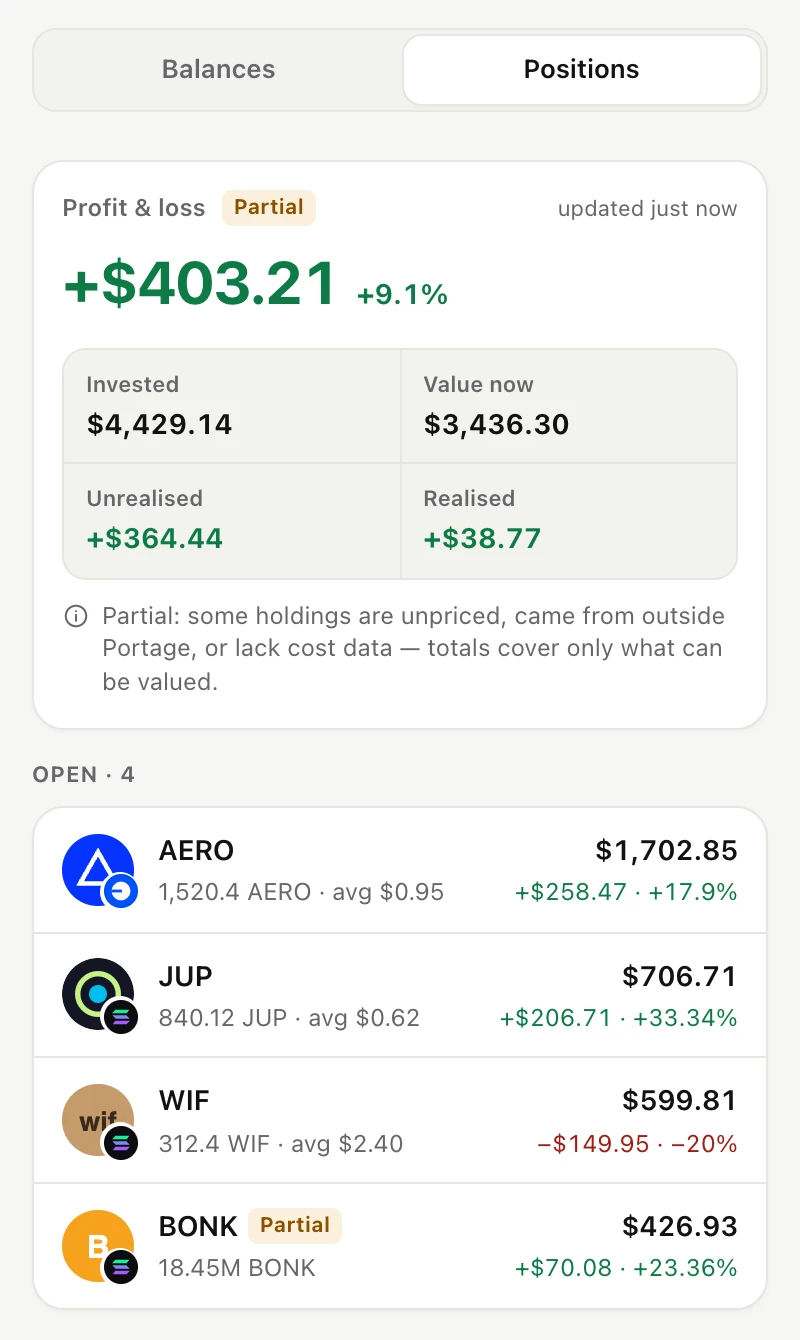
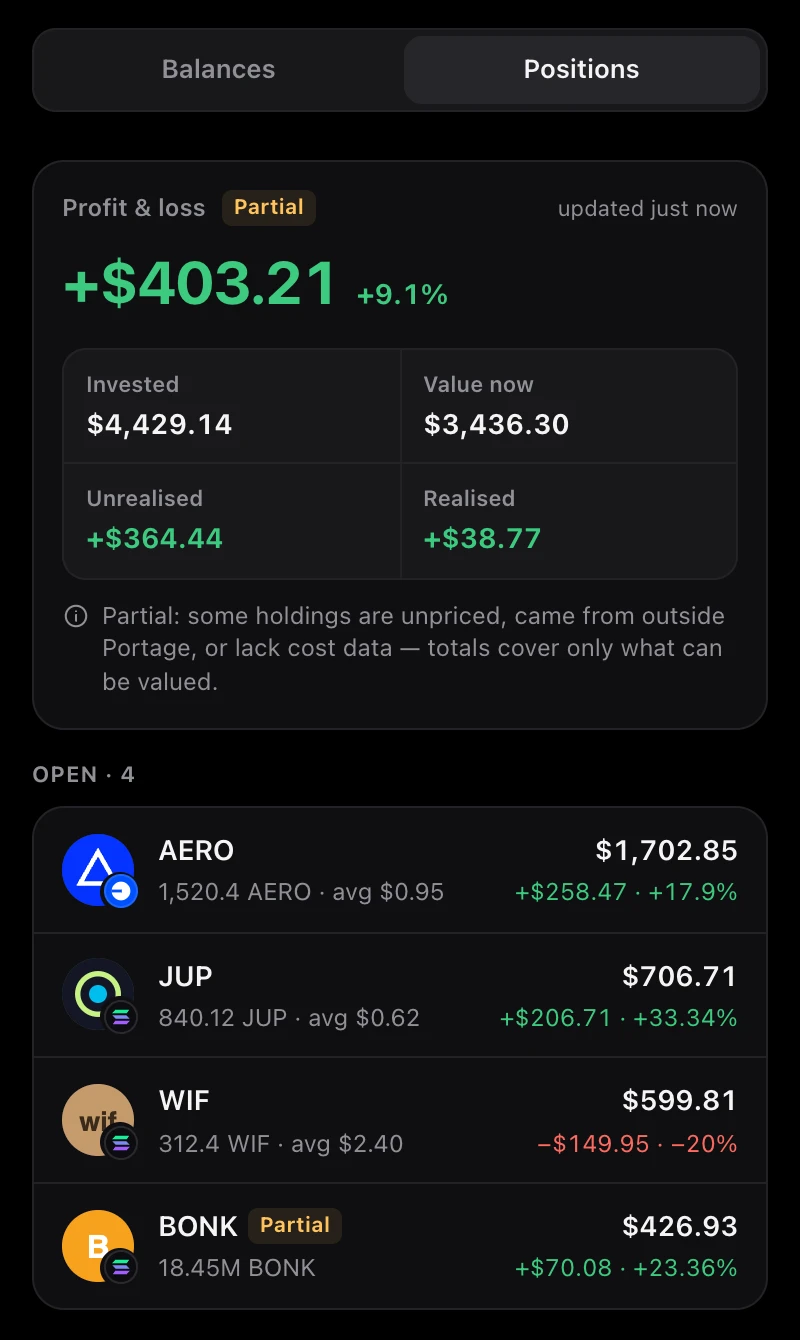
Portfolio positions: a profit and loss summary with invested, current value, unrealised and realised amounts, above four open positions (AERO, JUP, WIF and BONK), each with its value and gain or loss. Portfolio positions: a profit and loss summary with invested, current value, unrealised and realised amounts, above four open positions (AERO, JUP, WIF and BONK), each with its value and gain or loss.
Open positions with average-cost P&L.
  • Multiple accounts

    Create several accounts from one recovery phrase. Each has its own addresses.

  • Send and receive

    Send tokens, or show your address to receive them.

  • Locks itself

    Portage locks when Chrome goes idle and asks for your password to unlock.

  • Light and dark

    Follows your system setting, or pick the one you prefer.

Security & honesty

What to know before you trust it.

Portage is a self-custody wallet: you hold the keys. Here is what that covers, where it stops, and what hasn't been checked yet.

Portage is in beta and has not been independently audited. Start with small amounts you'd be comfortable losing while you get to know it.

  • Your keys stay on your device

    Your recovery phrase is generated in your browser and stored encrypted with AES-256-GCM, using a key derived from your password with PBKDF2. It never leaves the browser, and Portage has no server that sees it.

  • No analytics, no tracking

    The extension has no analytics, no trackers and no sign-up. It only contacts the services it needs for quotes, prices and balances; the privacy policy lists each one.

  • Your phrase is the only backup

    If you lose your recovery phrase, nobody can recover it for you, including us. Write it down and keep it offline.

  • Two moments when someone else holds your funds

    • While bridging. Husher holds your deposit until it pays out on the destination chain.
    • While an order is open. A limit, take-profit or stop-loss order's funds sit in a Jupiter-managed vault until it fills or you cancel.

    Portage says so on screen each time. Outside those moments, your funds stay in your wallet.

  • Not a canonical bridge

    Husher is an exchange that pays out native assets, so there are no wrapped tokens to redeem later. The trade-off: you trust Husher with your deposit while it's in flight.

Fees

Portage charges no fee.

You pay the services that do the work, plus the network. Every review screen shows the breakdown before you sign.

Who charges what when you use Portage
What you pay forFee
PortageSwaps, orders and bridgesNone
Swaps on EVM chainsCharged by LI.FI0.25%
Swaps on SolanaCharged by JupiterA few basis points
BridgesHusher's exchange spreadBuilt into the rate
Network feesPaid to the blockchainVaries by network

A basis point is 0.01%. Providers set their own fees and can change them; Portage shows the current amount in each quote.

FAQ

Questions, answered plainly.

Which chains does Portage support?

Swaps, balances and history work on Solana and ten EVM chains: Ethereum, Base, Arbitrum, Optimism, BNB Chain, Polygon, Avalanche, Linea, Mantle and Robinhood Chain. Limit, take-profit and stop-loss orders are available on Solana.

Bridging, through Husher, can pay out on more than 70 networks, including some Portage doesn't hold keys for, such as Bitcoin. For those you only need a receiving address.

What does it cost?

Portage takes no fee. The services that do the work take their own: LI.FI charges 0.25% on EVM swaps, Jupiter a few basis points on Solana swaps, and Husher earns an exchange spread on bridges. You also pay normal network fees. The review screen lists them before you sign.

Is Portage custodial?

No. Your keys are created and kept on your device, and only you can sign. There are two moments when someone else holds funds: during a bridge, Husher holds your deposit until it pays out on the destination chain; and while a limit, take-profit or stop-loss order is open, its funds sit in a Jupiter-managed vault until it fills or you cancel it.

What if I lose my recovery phrase?

We can't recover it. Portage never has a copy, so nobody can restore your wallet without it. If you can still unlock Portage, open Settings and reveal the phrase to write it down again.

Keep it offline and never share it. Anyone with your phrase controls your funds, and Portage will never ask for it.

Does Portage see my keys?

No. Keys are generated in your browser and encrypted with AES-256-GCM, using a key derived from your password with PBKDF2. They never leave your device, and Portage has no server that sees them.

The only server Portage runs is a small proxy that passes bridge quotes and orders to Husher. It receives networks, tokens, amounts and addresses, never keys.

Why does a bridge take minutes?

A bridge here is an exchange order, not an instant transfer. Husher waits for your deposit to confirm on the source chain, makes the exchange, then sends the payout, which has to confirm on the destination chain. How long that takes depends on both networks.

Portage tracks each bridge in Activity. If the rate moves outside the quoted range before it completes, Husher refunds to your wallet.

Has Portage been audited?

Not yet. Portage is beta software and hasn't been independently audited. Start with small amounts.

Try it with a small amount first.

Portage is free to install. It's beta software, so get to know it with amounts you'd be comfortable losing.